
Automation
Don't Automate Bad Data: How a One-Day Delay in Inventory, Costs or AR Breaks Your Automation
Introduction
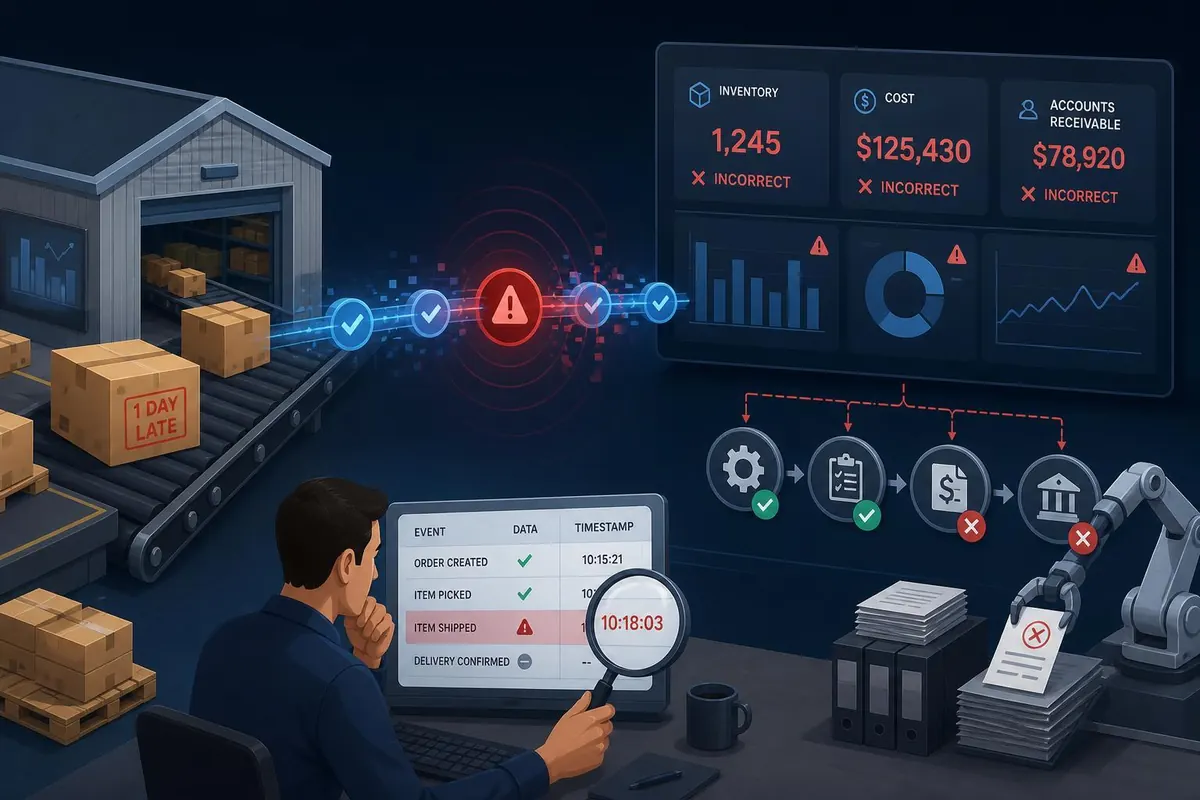
Automating accounting, inventory and receivables can save time and reduce human error, but automation magnifies any inaccuracies in your data. For small business owners in British Columbia, a one-day delay in entering inventory counts, cost updates, or customer payments can cause automated reorder triggers, margin calculations and credit decisions to be wrong — sometimes with visible financial consequences. This article explains why data timeliness matters, shows concrete examples of how late entries break automated rules, and offers practical steps to fix data flows before you let machines decide. You will get a pragmatic checklist, monitoring tips and recovery actions tailored to BC small businesses using common accounting and POS systems.
Why data timeliness matters for automation
Automation acts on rules and numbers. If those numbers are stale or wrong, every downstream decision will be wrong too. For example, an automated purchase order rule that triggers when stock falls below five units assumes the system’s stock level is current. If a retail clerk forgets to scan 10 returns or a wholesale shipment is logged a day late, the system may place costly emergency orders or decline orders from customers based on false out-of-stock signals.
Key points:
- Garbage in, garbage out: Automation scales mistakes.
- Velocity matters: Timeliness is often more important than perfect accuracy. A validated near-real-time figure is better than a perfect figure entered late.
- Interconnected ledgers: Inventory, cost of goods sold and accounts receivable feed profit, cash flow and credit rules — a single lag affects multiple reports.
How one-day delays break automated decisions: concrete scenarios
Below are practical scenarios common to BC small businesses and a simple cost illustration in CAD to show the impact of a one-day data delay.
| Item | What happens when data is late by one day | Example cost / impact (CAD) |
|---|---|---|
| Inventory level | Automated reorder triggers too early or too late; stockout on web store; emergency courier costs. | Lost sale: 10 units × $50 = $500 revenue; margin loss (30%) = $150. Emergency shipping $75. |
| Cost updates (unit cost change) | Margins and pricing rules reflect old costs; automated repricing or discount rules misfire. | Underpriced batch: 200 units × $2 margin loss = $400 lost GP until corrected. |
| Accounts receivable | Late payments not recorded; credit hold rules may block orders or collections automation triggers wrong notices. | Blocked order causing cancellation fee / lost sale ≈ $120; extra collection effort $50/hr. |
These examples are conservative. For larger items or seasonal peaks, the impact scales quickly. In BC, shipping and emergency logistics often cost more (fuel, remote deliveries), so estimate local premiums when calculating risk.
Practical steps to ensure accuracy before automation
Before enabling automated workflows, implement data governance and simple controls. The following steps prioritize low-cost actions that small businesses can adopt immediately.
- Define a single source of truth: Choose which system holds master inventory, costs and AR (POS, ERP or accounting system). Sync others from that master, do not rely on manual spreadsheets as primary records.
- Set acceptable latency windows: For each data type, define an SLA. Example: inventory updates within 2 hours of count/receipt; supplier cost changes within 4 hours; customer payments recorded within 24 hours.
- Time-stamp all transactions: Ensure every entry carries a date/time and user ID. This allows automation to ignore or flag late entries.
- Use APIs and integrations: Automate data flow from POS, warehouse scanners and payment gateways. Where real-time integration is not possible, schedule frequent batch syncs (hourly rather than daily).
- Create exception rules: If an input is older than the SLA, have automation pause and route to a human review rather than act blindly.
- Train staff and document SOPs: Standardize how and when returns, supplier invoices and deposits are recorded. Keep short checklists for end-of-day and receipt processes.
Monitoring, resilience and recovery when things go wrong
No system will be perfect from day one. Build resilience into automation so errors are caught quickly and fixed with minimal cost.
- Daily reconciliations: Automate a quick report comparing physical counts, expected inventory and system balances. Flag variances > 2% or threshold units for review.
- Alerting and human-in-the-loop: Configure alerts for late entries, sudden cost changes, or negative inventory. Route these to a responsible staff member with clear SLA to action (for example, 4 hours).
- Soft-landing automation: Use staged automation: passive monitoring first, then recommended actions, and finally fully automated actions once confidence is proven for 30–90 days.
- Reconciliations after late entries: If someone posts a backdated inventory or payment, run a targeted reconciliation that recalculates affected orders, POs and margins. Document adjustments and reasons to avoid repeat errors.
- Key performance indicators: Track data latency, reconciliation frequency, exception volume, and cost of emergency fixes. Example KPIs: average inventory update latency < 2 hours; AR posting within 24 hours; exceptions < 1% of transactions.
Quick SOP checklist for small BC businesses
- End-of-day: reconcile POS sales to deposits, mark all returns and supplier receipts.
- Incoming shipments: scan and record within 2 hours; update cost if invoice differs and note variance.
- Payments: auto-sync gateway payments; reconcile daily banking by 10:00 a.m.
- Exceptions: any backdated entry must include a reason and be reviewed weekly.
Conclusion
Automation can deliver strong efficiency gains for small businesses in British Columbia, but only if the underlying data is timely and trustworthy. A one-day delay in entering inventory, cost or receivable data may seem minor, yet it can trigger wrong automated orders, mispriced products and inappropriate credit actions that cost real dollars. Start by establishing a single source of truth, setting latency SLAs, time-stamping entries and building exception rules so automation pauses instead of blindly acting. Monitor data latency with clear KPIs, implement staged automation to gain confidence, and keep simple reconciliation SOPs to recover quickly when late entries occur. With these steps, you can deploy automation that improves operations without magnifying errors, protecting margins and customer experience in a cost-effective way for your BC business.