
Automation
Cut Appointment Waste: Practical Repairs for Misaligned Booking and Calendar Systems
Introduction
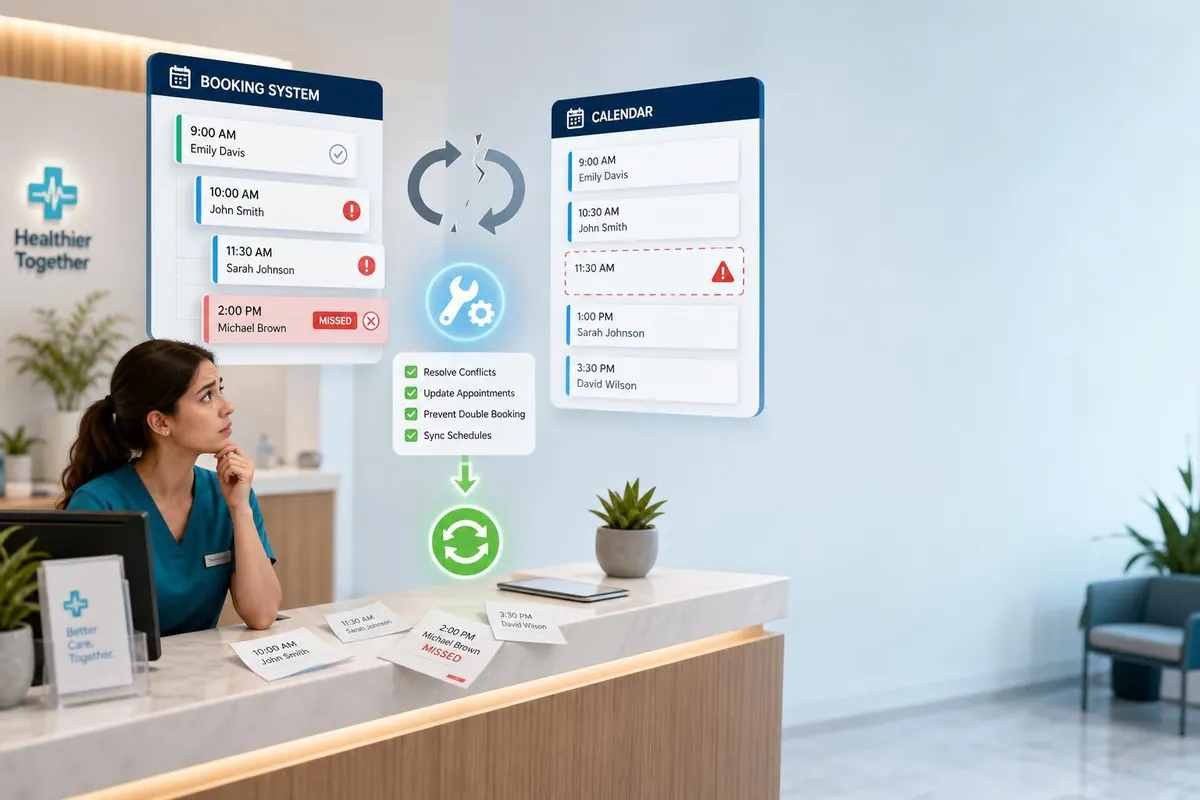
Small clinics and appointment-based businesses in British Columbia rely on smooth scheduling to protect revenue and patient satisfaction. When appointment booking systems and staff calendars fall out of sync, the result can be wasted staff time, double bookings, missed revenue, and frustrated clients. This article explores why calendar-sync problems happen, how to diagnose the specific causes in your clinic, practical fixes you can implement immediately, and longer-term integration and monitoring strategies. The aim is to give owners clear, actionable steps — from simple policy changes to technical integrations — so you can reduce waste, improve patient flow, and protect income. Examples use Canadian dollars to keep cost estimates realistic for BC businesses.
Why calendar-sync issues cost clinics
When a booking system and clinician calendars don’t match, losses appear in several predictable ways:
- Double bookings — Two patients booked for the same time cause rescheduling, refunds or overtime, and damage reputation.
- Missed appointments — If staff don’t see bookings added via a third-party channel, patients arrive and wait or leave, reducing throughput.
- Staff idle time — Manual reconciliation burns administrative hours that could be used for billable activities or patient care.
- Poor patient experience — Late confirmations, last-minute reschedules and inconsistent communication increase no-shows and attrition.
All of these translate into direct and indirect costs: lost fees, extra administrative payroll, compensation for inconvenienced patients, and lower lifetime value.
Diagnosing the root causes
Before buying new software or changing providers, diagnose how your systems currently behave. Follow these steps:
- Map your data flow — List every place an appointment can be made or edited: website booking widget, phone calls, third-party marketplaces, front-desk calendar, clinicians’ personal calendars.
- Check sync directions — Is the connection one-way (bookings → calendar) or two-way? One-way means edits made in a clinician’s calendar won’t return to the booking system.
- Inspect technical methods — Identify if you use iCal/folder imports, Zapier-like middleware, native API integrations, or manual CSVs. iCal imports are often delayed; APIs are more reliable.
- Audit common friction points — Time-zone settings, daylight saving handling, buffer time mismatches, custom fields (e.g., “virtual vs in-person”), and staff who bypass the system cause most errors.
- Gather evidence — Keep 4–8 weeks of logs or screenshots showing mismatches. Track frequency: how many double bookings, manual fixes, and lost hours per week.
Fixes you can implement today
Once you know where the gaps are, apply layered fixes — quick, low-cost actions first, then technical changes.
- Set a single source of truth — Choose one primary system for booking (preferably a cloud booking system with API) and require all staff to use it. Disallow direct edits in personal calendars unless they sync back automatically.
- Create simple rules — Enforce buffer times, block off admin windows, and require confirmation before manual rescheduling. Publish a short SOP for front-desk and clinicians to follow.
- Use automated confirmations and reminders — SMS and email reminders lower no-shows and give staff time to resolve conflicts before clinic hours. Typical reminder services cost from $0.10 to $0.35 per message, so a clinic sending 500 reminders/month spends about $50–$175.
- Implement two-way sync — Whenever possible, use two-way API integrations between booking software and Google/Outlook calendars to sync edits in real time. Avoid relying on periodic iCal pulls that refresh every few hours.
- Train staff and audit weekly — A 30-minute weekly check can catch discrepancies early. Training one-off often costs nothing beyond time but prevents expensive errors.
Practical cost example:
| Item | Assumption | Monthly cost (CAD) |
|---|---|---|
| Lost appointment fees | 2 appointments/week × $80 average fee | $640 |
| Administrative reconciliation | 2 hrs/week × $25/hr | $200 |
| Reminder SMS service | 500 messages × $0.12 | $60 |
| Estimated monthly waste | $900 |
Long-term integration and monitoring strategy
Once immediate fixes reduce the highest-cost errors, adopt a long-term approach to prevent recurrence and scale safely.
- Choose the right platform — Prefer booking systems with mature APIs, audit logs, role-based permissions, and HIPAA/PIPA-friendly data handling. Confirm the vendor’s data residency and security if handling personal health information.
- Formalize sync architecture — Use two-way API sync for real-time updates, webhooks for change notifications, and a middleware layer only when necessary. Test synchronization with a small pilot group before rollout.
- Monitor KPIs — Track metrics such as double bookings per month, reconciliation hours, no-show rate, and patient satisfaction. Set improvement targets (for example, reduce double bookings by 80% in 3 months).
- Schedule periodic audits — Quarterly system audits and an annual workflow review identify new edge cases as services expand or staff change.
- Budget for resilience — Factor integration and monitoring into operating costs. A one-time integration with an IT consultant in BC might range from $800 to $4,000 depending on complexity; consider this an investment to avoid ongoing monthly waste like the example above.
Conclusion
Calendar-sync failures are common but fixable. Start by mapping how appointments enter and leave your systems, then apply quick wins: declare a single source of truth, enable reminders, and train staff. Move toward reliable two-way API sync and vendor platforms that support audit logs and secure handling of personal information to reduce errors. Track a handful of metrics and perform regular audits so minor issues don’t grow into repeated revenue loss. For many small clinics in BC, the upfront cost of a proper integration or a brief consultant engagement quickly pays back in recovered appointments and administrative time. With a pragmatic mix of policy, training, and technical change, you can stop wasting money and restore a predictable, professional scheduling process.