Artificial Intelligence
Air-Gapped Intelligence: Architecting Fully On‑Prem AI for Classified Corporate Data
Introduction
As small business owners in British Columbia, protecting client and company data is not optional. When personal or proprietary information must never leave your premises, a local or on-premises AI deployment becomes a practical solution. This article explains how to run the full AI stack inside your organisation: the physical hardware, the software and orchestration, and the language models and data pipelines. You will learn what hardware choices work for different budgets, how to host and update models without sending data to cloud providers, and what governance and operational steps you need for secure, reliable service. Practical cost ranges in Canadian dollars and recommended tools are provided so you can assess what’s achievable for your business size.
Why on-premises matters and the compliance framework
Many businesses in BC handle information covered by the Personal Information Protection Act (PIPA) or industry-specific confidentiality obligations. Even if no single law forces local hosting, clients frequently demand it for legal, reputational or competitive reasons. Running everything on-premises eliminates routine outbound data flows to public clouds and third-party inference endpoints. That reduces some attack surface and simplifies contractual and technical controls over data residency.
- Key benefits: full data control, consistent audit trails, no third-party access to raw data, and easier demonstration of compliance.
- Key risks to manage: internal threat actors, physical theft, misconfiguration, and software vulnerabilities. On-premises shifts responsibility for patching, backups and disaster recovery to you.
- Policy needs: strong access control, role separation, logging and an incident response plan tied to BC regulatory timelines.
Hardware: what to buy and how to secure it
Hardware selection depends on the model size you want to run and your throughput needs. For many small businesses a 7B to 13B parameter model provides useful capability with modest compute. Heavier usage or larger LLMs require more GPU memory and networking.
- GPU choices: consumer-class but powerful cards like NVIDIA RTX 4080/4090 or workstation A-series (A5000, A4500) are economically attractive for 7B-13B models. Data-center GPUs (A100/H100) are required for 70B+ models but cost far more.
- Server and storage: a small rack or tower server with 1–2 GPUs, 256GB RAM recommended for larger models or RAG workflows, and NVMe storage (1–4 TB) for model and vector indexes. Redundant backups on encrypted NAS or tape are essential.
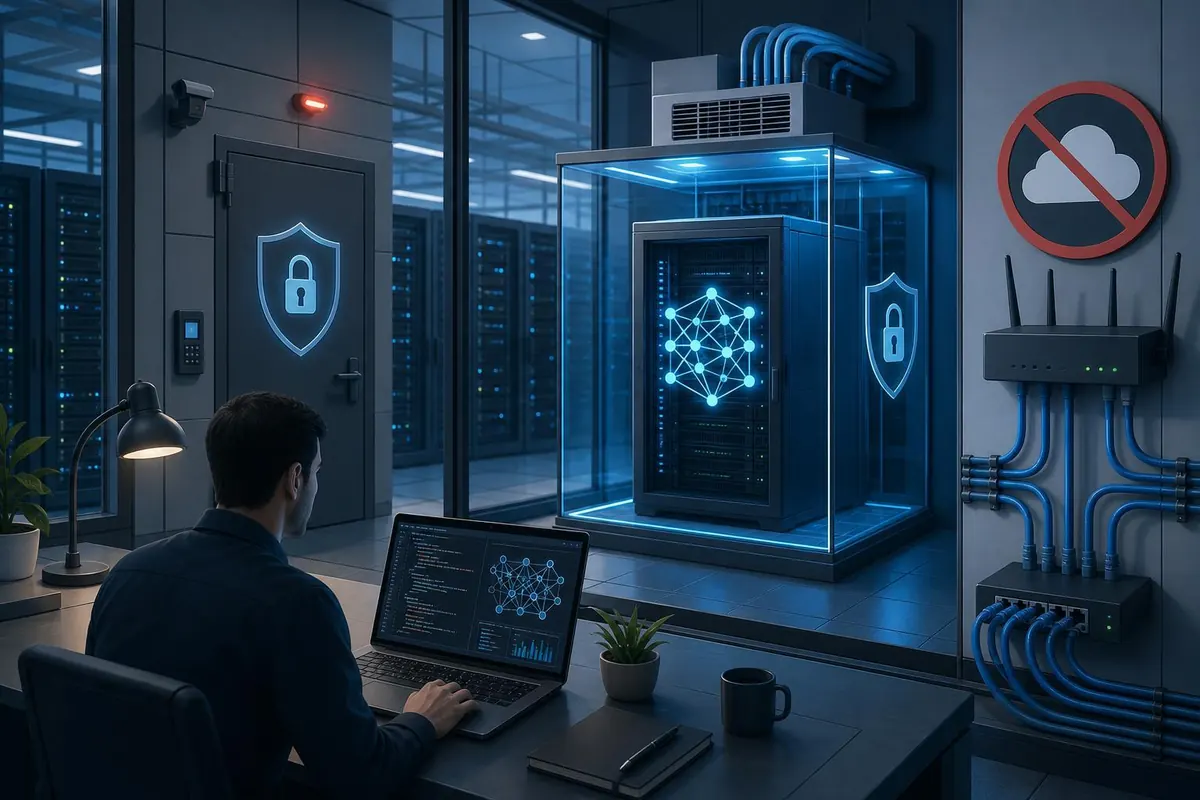
- Network and physical security: separate the AI systems on an internal VLAN, use firewall rules, disable unnecessary outbound traffic, and consider an air-gapped or limited-outbound setup if data truly cannot leave the site. Keep hardware in a locked room with environmental monitoring and UPS for graceful shutdowns.
- TPM and HSM: use a TPM-enabled server and consider an on-premises HSM for key management if you encrypt models and data at rest.
Software stack and model selection for on-prem AI
Your software stack ties hardware to the model and to your business workflows. The stack can be lightweight for a single server or layered with orchestration for multi-node clusters.
- Operating system and orchestration: Ubuntu LTS with Docker and container orchestration like Kubernetes for scale. For single-server deployments, Docker Compose or Podman is sufficient.
- Inference engines: Hugging Face Transformers with accelerate, NVIDIA Triton for optimized GPU inference, or GGML/llama.cpp for CPU-friendly smaller models. Use quantization (8-bit, 4-bit) via bitsandbytes or GPTQ to reduce memory footprint and cost.
- Model options: open models such as Llama 2, Mistral, Falcon and MPT are available for on-prem use—check their licenses. Choose a model size that fits your GPU memory; for many small teams 7B or 13B models are a sensible balance of capability and cost.
- Retrieval augmented generation (RAG): store your internal documents in an on-prem vector store like Milvus, FAISS or Weaviate (self-hosted). Keep the knowledge store and metadata on premises, and build a private RAG pipeline so models never need external queries.
- Security and audit: implement strong authentication (LDAP/AD, SSO) and RBAC for API endpoints. Log queries, responses and model version for auditing and troubleshooting, and ensure logs are write-once-read-many or otherwise tamper-evident.
Implementation, operations and cost overview
Putting everything into production requires planning for deployment, maintenance and people. Below is a concise step-by-step approach and an estimated cost table to guide decisions.
- Deployment steps:
- Define data flows and determine what must remain local.
- Select model size and quantization strategy to fit chosen GPU(s).
- Stand up the server, VLAN and firewall rules. Install OS, container runtime and inference engine.
- Deploy vector DB and ingestion pipeline for your internal documents. Test RAG workflows locally.
- Implement access controls, logging and backups. Conduct internal privacy and security review.
- Train staff or secure a managed support contract for updates and incident response.
- Ongoing operations: patching, model evaluation (bias/hallucination tests), capacity planning, and periodic re-indexing of the knowledge base. Plan for model updates using controlled offline procedures—import new weights from a trusted medium and validate before switching production traffic.
- Staff and services: small businesses can often start with a contracted consultant to set up an on-prem PoC for $10,000 to $30,000. Annual staffing or support costs vary: expect $80,000 to $150,000 for a full-time ML/system engineer if you hire in-house, or $15,000 to $50,000/year for managed on-prem support.
Cost and capability comparison
| Setup | GPU(s) | Model size supported | Approx. hardware cost (CAD) | Typical use |
|---|---|---|---|---|
| Basic | 1x RTX 4090 or A4500 | Up to 7B (quantized 13B possible) | $6,000 - $12,000 | Prototype, low-volume internal assistant, document search |
| Mid | 2x A5000 / 2x 24GB GPUs | Up to 13B comfortably, some 30B via sharding/quantization | $25,000 - $60,000 | Higher throughput assistants, multi-user RAG |
| Enterprise | 4+ A100 / H100-class | 70B+ models and heavy fine-tuning | $150,000+ | High performance multi-tenant systems, advanced fine-tuning |
Note: these are ballpark figures. Additional costs include networking, UPS, cooling and staff.
Conclusion
Keeping AI fully on premises is achievable for BC small businesses, but it requires thoughtful choices across hardware, software and operations. For many firms, a modest server with a modern GPU running a 7B or 13B open model, combined with an on-prem vector database and strict network segmentation, will deliver most practical benefits without sending data offsite. Larger capabilities are possible but increase hardware and staffing costs substantially. A staged approach works best: start with a small proof of concept, validate the RAG pipeline and security controls, then scale hardware and personnel as value and demand grow. With clear policies, encryption, auditing and regular updates, on-prem AI can meet compliance needs while delivering real business value.