
Introduction
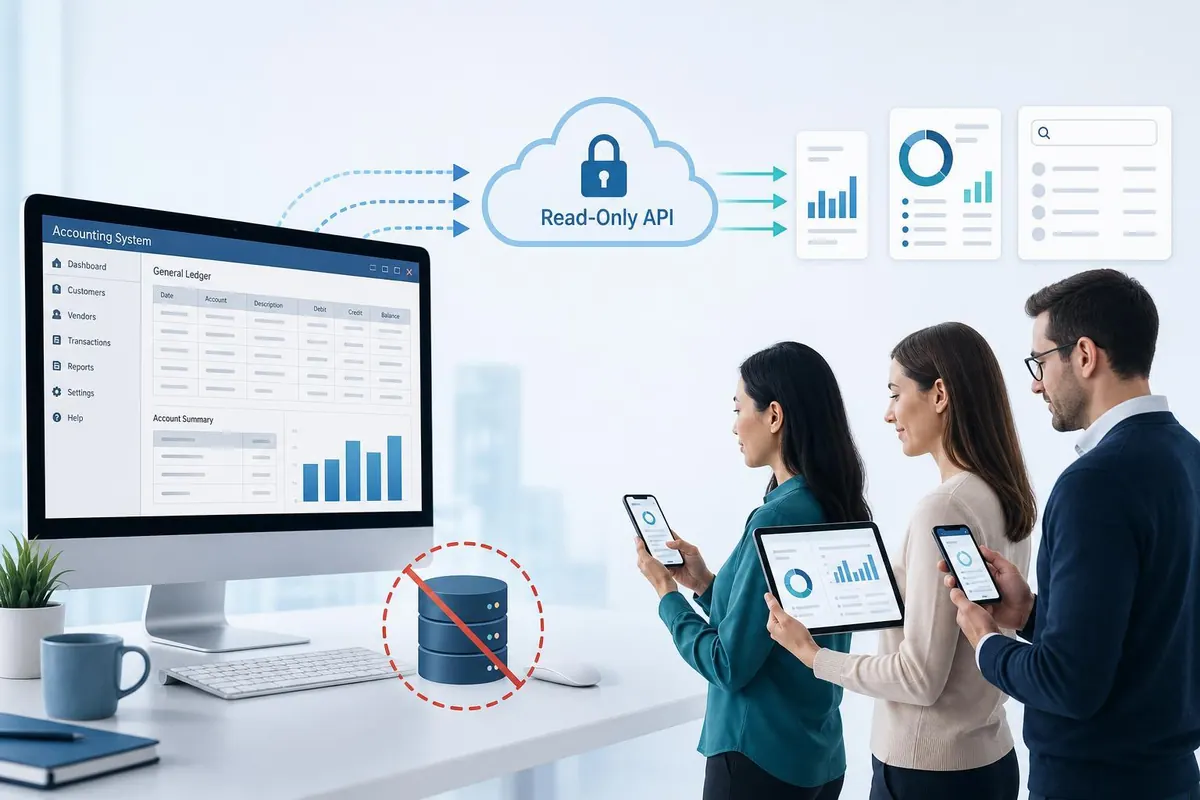
HelloDataManager is a practical solution that converts your desktop accounting system, such as AccountEdge, into a secure, read-only API and an employee-accessible interface without changing the accounting software or migrating its database. For small business owners in British Columbia, this means staff can query invoices, look up customer balances, and check payroll summaries through a simple web portal while your original accounting files remain untouched. The key promise is non-invasive access: read-only connections, no writes, and no relocation of financial data. This article explains what HelloDataManager does, how it works technically, how it protects your data and complies with local expectations, and what typical costs and steps look like for implementation.
What HelloDataManager does
HelloDataManager acts as a bridge between your desktop accounting system and the people who need to view its information. It provides two main outputs:
- Read-only API: A set of controlled endpoints that return JSON or CSV for queries like customer balances, invoice history, inventory levels, and financial summaries. The API never performs write operations.
- Employee web interface: A searchable, role-aware portal where staff can look up client accounts, invoices, and basic reports without needing an accounting login.
All access is designed so that the accounting system itself is not modified. Data is read on demand or cached briefly for performance, with strict controls to prevent any write activity to your accounting files.
How it works technically
The architecture balances simplicity, safety, and performance. Typical components are:
- Read-only connector: A small service installed where the accounting file is accessible (on the same machine or LAN). It uses the accounting system's supported interfaces or reads the file in read-only mode. No schema changes are made.
- Local cache and transformation: Optional short-term caching (minutes) to accelerate repeated queries. Data is transformed into normalized API responses without exporting or moving the live database.
- API gateway: A hosted or locally run endpoint that receives authenticated requests from the employee portal or other internal tools and forwards them to the connector for data retrieval.
- Employee portal: A simple web application with role-based access control, audit logging, search, and basic filters suitable for non-accounting staff.
Data flow example: employee portal request -> API gateway -> secure connector queries accounting file (read-only) -> result returned to portal. The accounting application continues running as before with no write hooks and no export requirement.
Security, compliance and access control
Small business owners must balance accessibility with confidentiality. HelloDataManager is built around three pillars:
- Read-only guarantee: The connector is deployed in a mode that does not allow modify operations. All API endpoints are designed to expose data only; they do not accept transactions or updates.
- Authentication and roles: Integrate with your existing single sign-on or use multi-factor authentication. Define roles such as viewer, manager, or accountant to limit which datasets employees can query.
- Logging and audits: Every query is logged with user, timestamp, and query details to support audits and troubleshooting. Logs can be retained to meet your record-keeping needs.
For businesses in British Columbia and Canada, consider hosting the API gateway and logs in Canadian data centres if data residency is a priority. Also ensure payroll and personally identifiable information are only visible to authorized roles to align with privacy expectations and CRA considerations.
Costs, benefits and a practical implementation plan
Implementing HelloDataManager typically follows a short, predictable path: assessment, connector deployment, portal configuration, and staff training. Below is a practical estimate and a simple benefits table.
| Item | Typical cost (CAD) | Notes |
|---|---|---|
| Initial assessment and setup | $1,200 - $3,500 | Includes connector install and API configuration |
| Hosting and maintenance (monthly) | $50 - $250 | Depends on Canada-hosting and SLA level |
| Staff training (one-time) | $300 - $800 | 2 to 4 hours of hands-on training |
| Optional add-ons | Varies | Advanced reporting or integration work |
Expected benefits include faster internal queries, fewer accounting interruptions, reduced need to share accounting credentials, and clearer audit trails. Typical small businesses see time savings in staff lookups and fewer queries to the bookkeeper, allowing bookkeeping time to be focused on exceptions and reconciliations.
Implementation checklist:
- Identify the accounting file location and ensure read-only access for the connector.
- Decide hosting preference: local gateway or Canada-based cloud.
- Define user roles and which datasets are accessible.
- Install connector, configure API endpoints, and test against sample queries.
- Roll out portal access to staff with training and monitoring for the first 30 days.
Conclusion
HelloDataManager provides a pragmatic way to give employees safe, read-only access to your desktop accounting data without altering the accounting software or moving the database. For British Columbia small businesses, this approach reduces operational friction by letting staff self-serve routine queries while preserving data integrity and simplifying audits. The technical approach relies on a lightweight read-only connector, optional short-term caching, an API gateway, and a role-aware web portal. Costs are modest compared with the time savings and reduced credential sharing, and hosting choices can accommodate Canadian data residency preferences. If your goal is safer visibility and fewer disruptions to your bookkeeping workflow, a non-invasive read-only API and portal like HelloDataManager is an effective option to consider.