
Fintech
Keep Dashboards from Writing Your Books: Enforcing Read‑Only Data Collection for Safer Accounting
本文以英文撰寫。
Introduction
Small business owners in British Columbia depend on timely, clear dashboards to understand cash flow, sales and tax obligations. Many modern analytics tools can both read from and write to source systems. However, permitting a management dashboard to write back into your accounting ledgers or bookkeeping system invites risk. This article explains why read-only data collectors are the safer default, how write-back pathways create integrity, compliance and security problems, and what practical architecture and controls will protect your books while still delivering the insights you need. Expect clear, actionable guidance tailored to BC businesses, including cost considerations in Canadian dollars and a simple implementation roadmap you can share with your bookkeeper or IT provider.
What read-only data collectors are and how they work
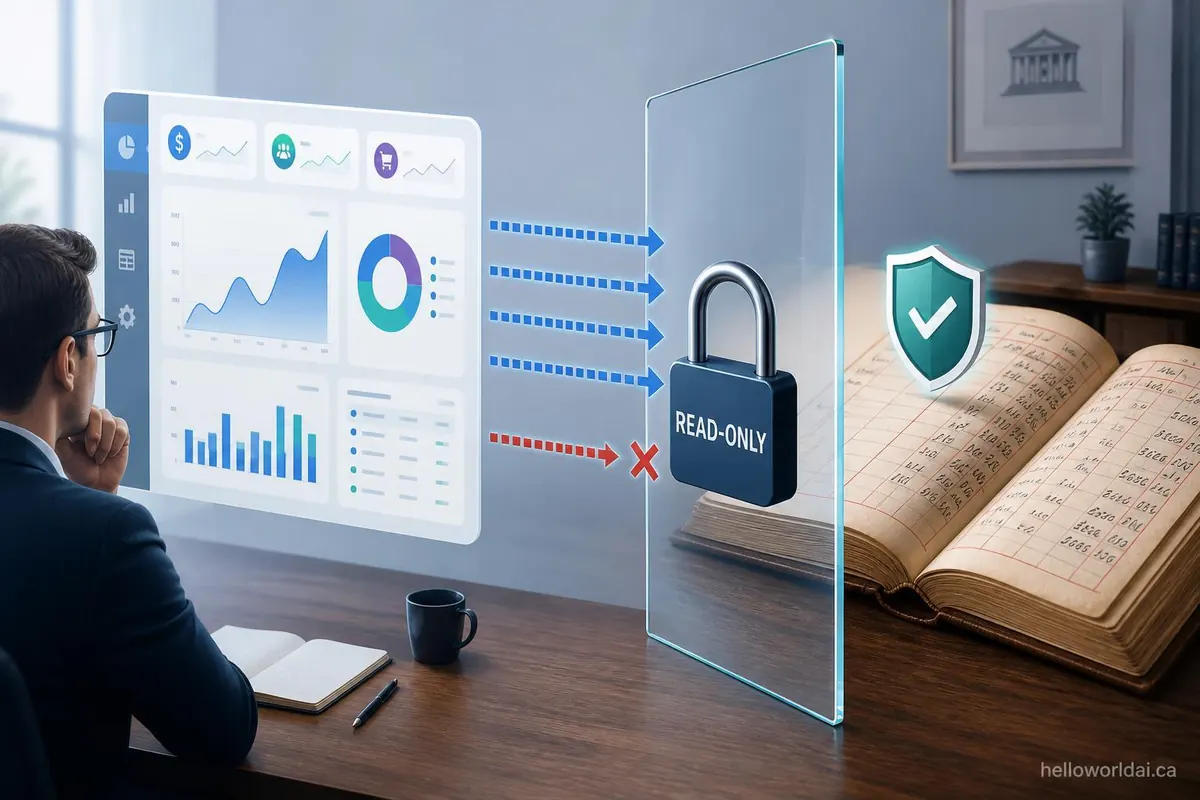
Read-only data collectors are connectors or extract processes that copy financial and operational data from accounting systems, point-of-sale software and other sources into a reporting layer without making any changes to the source systems. Typical patterns include scheduled exports, API pulls that use read-only credentials, or replicated tables in a data warehouse.
- They preserve the canonical source of truth in your accounting system.
- They let you calculate metrics, build visualizations and run scenarios outside the ledger.
- They support auditability because the original transactions remain unchanged and traceable.
For a small BC business this means your bookkeeper or accountant retains control over entries, reversals and adjustments, while managers get near real-time insight without risking accidental or unauthorized changes to the books.
Risks of dashboards that write back to your books
Allowing dashboards to write back introduces several linked hazards. These concerns matter even for businesses with modest transaction volumes.
- Data integrity issues: Automated write-backs can create duplicate transactions, wrong accounts or incorrect tax calculations. Reversing these mistakes consumes staff time and may incur accounting fees.
- Audit and compliance exposure: Auditors expect a clear chain of custody for journal entries. Write-back tools that bypass documented processes complicate audits and HST/GST filings, and can increase the risk of penalties.
- Segregation of duties failures: Small teams often share roles. Adding write-back capability concentrates power to change records, which increases fraud and error risk.
- Security and breach impact: A compromised dashboard that has write privileges could alter payroll, vendor payments or customer credits. The cost of remediation can be significant.
- Reconciliation complexity: When systems diverge due to automated writes, reconciliations between bank, ledger and management reports become time-consuming.
These risks are interconnected. For example, a security breach can cause integrity problems that then complicate audits and increase accounting fees, all of which hit your bottom line.
Practical architecture and controls for safe reporting
Design your reporting stack so dashboards are powerful but non-invasive. The following layered approach balances insight with control.
- Use read-only connectors that authenticate with read-only API keys. Confirm the provider documents the permission scope.
- Replicate to a reporting database (cloud data warehouse or a secure hosted database) where transformations and aggregations occur. Never transform in place in the source ledger.
- Implement strict access controls and role-based permissions. Managers see reports, accountants write entries. Log all accesses and exports.
- Maintain audit trails for any suggested adjustments. If a dashboard proposes a journal entry, route it through a ticketing workflow for a human to review and post from the accounting system.
- Test reconciliation procedures monthly. Reconcile dashboard figures to ledger balances and bank statements to catch mismatch early.
- Plan for incident response so you can quickly revoke keys, isolate systems and engage your accountant if something odd appears.
These controls reduce the temptation to shortcut processes by letting dashboards make changes directly, while still preserving speed and insight.
A roadmap for small businesses in BC: implementation and cost considerations
Here is a practical sequence you can follow with approximate costs in CAD. Prices vary by provider and complexity; use these numbers for planning.
| read-only approach | write-back enabled approach | |
|---|---|---|
| Initial integration | $1,000 to $5,000 (one-time) | $8,000 to $25,000 (one-time) |
| Monthly operations | $50 to $300 per month | $300 to $1,500 per month |
| Compliance and audit overhead | Minimal, handled in normal accounting | Increased audit work, potential accountant fees $500+ per incident |
| Risk profile | Low to moderate | Moderate to high |
Steps to implement for a BC small business:
- Engage your bookkeeper and IT provider to approve read-only API keys.
- Set up a reporting database and ETL (extract, transform, load) process to refresh data nightly or hourly.
- Build dashboards that reference the reporting database and include clear links to the originating transaction ID in the accounting software.
- Establish a workflow where proposed corrections are submitted as adjustment requests, reviewed by a bookkeeper, and posted manually.
These steps are feasible for businesses with modest budgets. Example: a retail shop in Vancouver could expect a basic read-only reporting setup for under $6,000 including a year of hosting and setup, while write-back workflows typically cost considerably more and require stronger controls.
Conclusion
For small businesses in British Columbia, using read-only data collectors for dashboards protects the integrity of your accounting records while delivering practical, actionable insight. Read-only integrations preserve the canonical ledger, simplify reconciliation and reduce audit exposure. By contrast, dashboards that write back create a linked set of risks including data corruption, compliance headaches and elevated security concerns, all of which can translate to real costs in time and professional fees. Implement a layered architecture that uses read-only APIs, a separate reporting layer, role-based controls and human-reviewed workflows for any adjustments. This approach gives you timely management information without compromising your books, keeping costs predictable and your accountant confident in your financial statements.