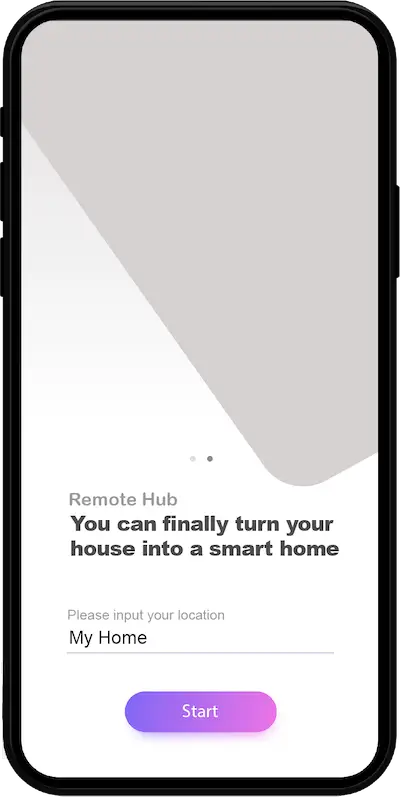
Imagine controlling all your home devices with a single app. With Remote Hub, you can do just that. We’re transforming the way you interact with your electronics, making your home smarter, more efficient, and easier to manage.
What is Remote Hub? Remote Hub is your all-in-one solution for managing and controlling your home devices. Whether it’s your TV, air conditioner, or smart lights, Remote Hub unifies all your remote controls into one easy-to-use app on your smartphone.
Get Started Today Whether you’re a tech enthusiast or just looking to simplify your daily routines, Remote Hub offers a seamless and intuitive way to manage your home devices. Ready to experience the future of home control? Sign Up for Early Access
Implement a Robust Automated Backup Solution
1. Implement a Robust Automated Backup Solution
Ensure your critical data is always secure with an automated backup solution that runs at regular intervals, eliminating the need for manual backups and reducing the risk of data loss.
Action
Configure a backup schedule that fits your needs, and let the solution handle the process—providing peace of mind by keeping your data secure and accessible at all times.
Strengthen your system’s defenses by proactively preventing malware from infiltrating your network. Our solution blocks harmful software before it can impact your devices or compromise sensitive data.
Action
Activate the malware prevention feature in your system settings, and let our solution automatically block suspicious files, ensuring your devices remain secure without manual intervention.
3. Resolve CCTV Setup and Time Stamp Discrepancies
Ensure the integrity of your security footage by addressing incorrect CCTV configurations, including inaccurate time stamps, which can undermine the reliability of recorded data for security assessments or legal purposes.
Action
Our experts will reconfigure your CCTV system to ensure proper installation, accurate time synchronization, and optimal performance, guaranteeing that your footage is both precise and trustworthy.
Universal Remote: Replace multiple remotes with a single app. Control all your devices from one place, no matter the brand or type.
AI-Powered Recognition: Simply snap a photo of your remote, and our AI will recognize it, making setup a breeze.
Customization: Tailor your remote layouts to fit your needs. Add, remove, or rearrange buttons to create the perfect control interface.
Voice Assistant Integration: Seamlessly connect with your favorite voice assistants like Apple HomeKit or Google Assistant for hands-free control.
Smart Automation: Set up routines and automations to make your devices work for you. From turning on lights at sunset to adjusting your thermostat before bed, Remote Hub makes it easy.
Energy Monitoring: Track and manage the energy usage of your devices. Save on energy bills while being eco-friendly.
Use AI Recognition to Identify Your Remote
1. Retrieve File from Backup
Sarah recently encountered a situation where she accidentally deleted an important file from her desktop. Fortunately, she had implemented a reliable backup system to safeguard her critical data. Using the backup software on her desktop, Sarah easily navigates to the backup location where the file was stored. After locating the correct version of the file, she initiates the restore process. Within moments, the file is retrieved from the backup storage and restored to her local device, ensuring minimal disruption to her work. This streamlined process underscores the value of maintaining regular backups, providing Sarah with confidence that her files can be quickly recovered when needed.
Peter had been using a USB thumb drive for his data backups, but over time, he encountered frequent reliability issues. The thumb drive would disconnect unexpectedly, and its limited storage was no longer sufficient to keep up with his growing data needs. Realizing the risks of relying on such an outdated and unreliable solution, Peter decided to upgrade to an automated backup system with cloud support. This new solution not only provides secure cloud storage but also automates the backup process, ensuring that his data is continuously protected without manual intervention. After disconnecting the old thumb drive, Peter set up the automated cloud backup system, which now runs in the background, performing regular backups on a schedule. This upgrade gives Peter the peace of mind that his files are securely backed up and easily accessible, while eliminating the need for manual effort or the risk of hardware failure.
3. CCTV with Incorrect Timestamp Causes Incident Confusion
James manages a small retail store and relies on a CCTV system to monitor activity on the premises. One day, an incident occurred where a customer reported a missing wallet. James immediately checked the CCTV footage, but to his frustration, the timestamps on the recordings were incorrect. The mismatch made it difficult to identify the exact moment of the incident, wasting valuable time and causing unnecessary confusion during the investigation.
After this experience, James contacted a reliable IT consultant to assess the issue. The consultant quickly identified the root cause and reconfigured the CCTV system, ensuring its settings were correct and consistent. Thanks to the expertise of the IT consultant, James now has confidence that his CCTV system is functioning properly, allowing him to address any future incidents without delay or uncertainty.
Action
Integrate Remote Hub with their preferred voice assistants, such as Apple HomeKit or Google Assistant.
4. Malware Infection Due to Faulty Security Measures
Lisa runs a small accounting firm and handles sensitive financial data for her clients. One day, her team noticed unusual behavior on their computers—files were being encrypted and inaccessible. It quickly became evident that the firm had fallen victim to a ransomware attack, caused by a malicious email link one of her employees unknowingly clicked.
The attack disrupted operations, leaving Lisa unable to access critical client files. Fortunately, her IT consultant had previously implemented a snapshot backup solution. This system automatically created regular snapshots of all critical data, ensuring that recent versions of her files were safely stored and unaffected by malware.
With the help of the IT consultant, Lisa’s team quickly rolled back their systems to a clean snapshot taken just before the attack. Within hours, all their data was restored, and the business was back up and running with minimal disruption. This experience reinforced the value of having reliable backup strategies in place, giving Lisa the confidence that her firm could quickly recover from future threats.
Remote Recognition: Discover how our AI technology identifies and configures your devices with just a photo.
Custom Layouts: See how you can personalize your control interface to match your preferences.
Voice Commands: Learn how to integrate Remote Hub with your favorite voice assistants.
Automation Tips: Explore ideas for automating your home with Remote Hub.
Join the Revolution Remote Hub is more than just an app; it’s a movement towards smarter, more efficient living. Stay tuned for updates, and be sure to sign up for early access to be among the first to experience Remote Hub in action.